Models
Bring every AI you use.
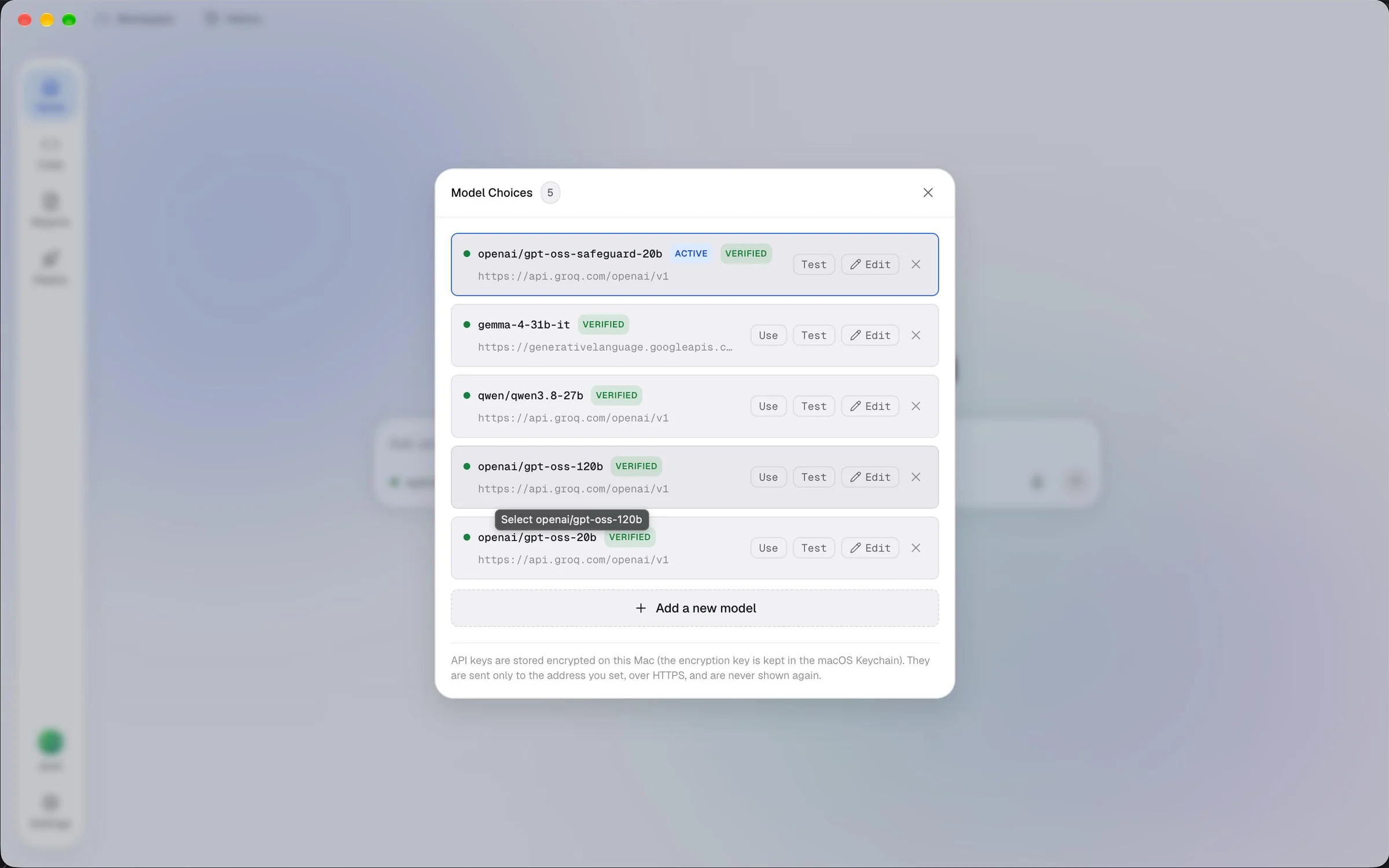
Ardra does not come with one model. You add as many as you like, from free tiers to your own paid plans, and give each agent the one that suits its job. Ardra does not come with a key: you bring your own.
OpenAI
Add your OpenAI API key and pick a model.
Anthropic Claude
Use Claude through Anthropic’s OpenAI-compatible endpoint.
Google Gemini
Use Gemini through its OpenAI-compatible API.
DeepSeek
Add your DeepSeek key and pick a model.
OpenRouter
One key, many models, through OpenRouter.
Ollama
Run a model on your own Mac. Nothing leaves it.
Anything OpenAI-compatible
Any service that speaks the OpenAI API format.
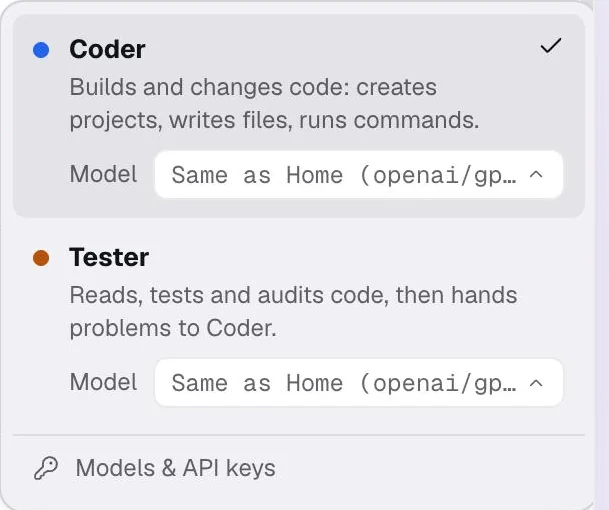
Each agent, its own model.
For example, you might give:
- Home gets a fast, friendly model for conversation.
- Coder gets your strongest coding model.
- Tester gets a careful model that reads closely.
- Reporter gets a model that writes clearly.
Settings
Add a model in under a minute.
Everything about your models lives in one place: Settings, Models & API keys. Add one, test it, save it.
- Open Settings, then Models & API keys.
- Add a model: pick a provider or paste its address, then your API key.
- Press Find models and pick one, then Test and Add model.
- Choose which agent uses it. Then ask Home anything.
Step-by-step guides for every provider, including free ones, are in the Ardra docs.
Your keys, locked on your Mac.
An API key is money. Ardra treats it that way.
Encrypted by your Keychain
Sent only where you said
Never in the page
Start building.
Free in early access, for Macs with Apple Silicon on macOS 12 or newer. Bring an API key from any model you like.
Ardra is not yet signed by a registered Apple developer, so the first time you open it, macOS asks you to confirm. The download page shows the steps.