Features
Everything you need to build, in one window.
Ardra is a full workspace, not a chat box. The editor, the files, the Terminal and the preview sit next to the agents doing the work, so you can see and steer every change.
Code
A real editor, a real Terminal.
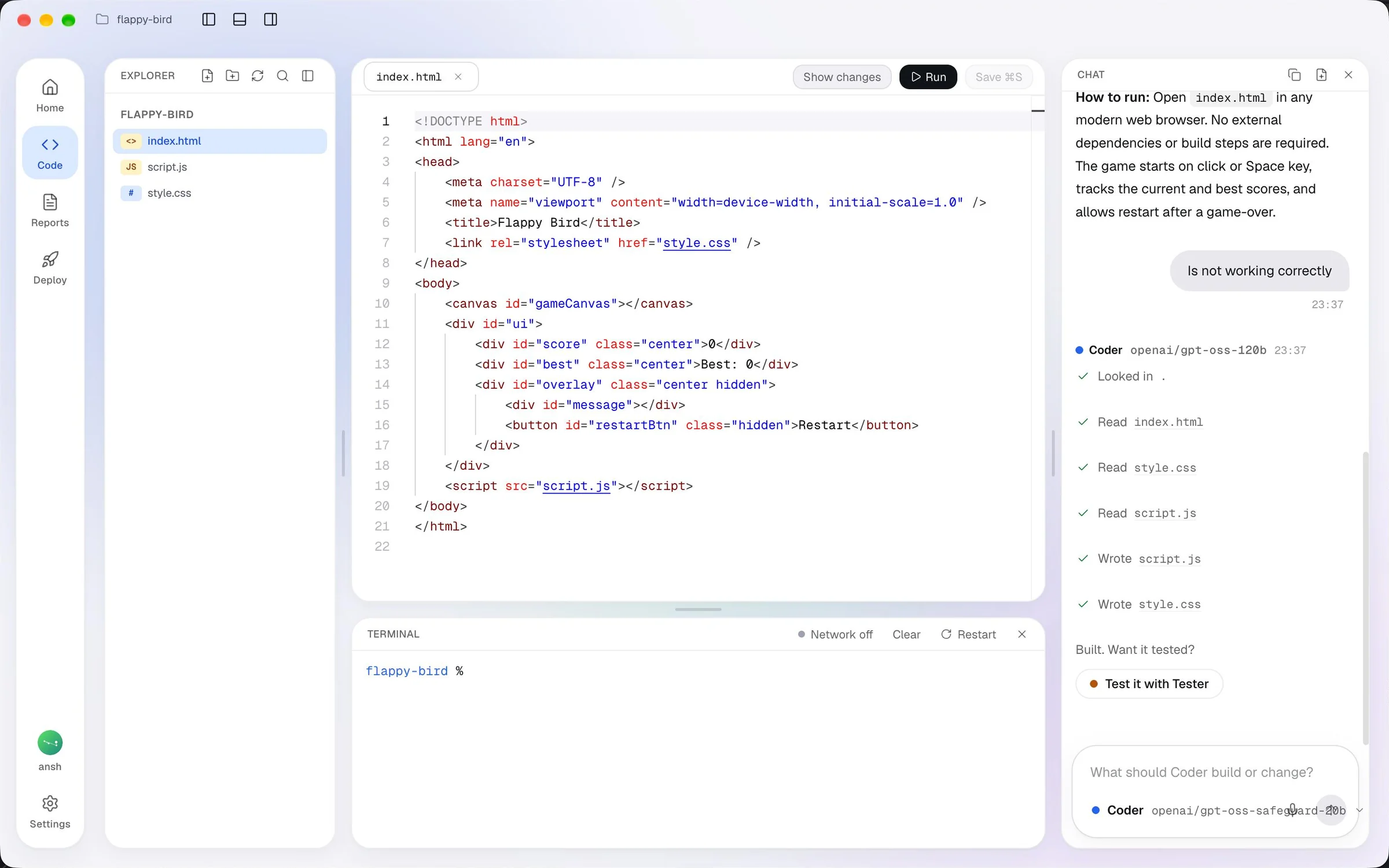
Monaco, the editor inside VS Code, with Explorer for your files, a live web preview and a real Terminal. Watch Coder's files appear and open any of them yourself.
- Monaco editor and Explorer
- Live web preview of what is being built
- A real Terminal, fenced to the project folder
Reports
Work you can review in minutes.
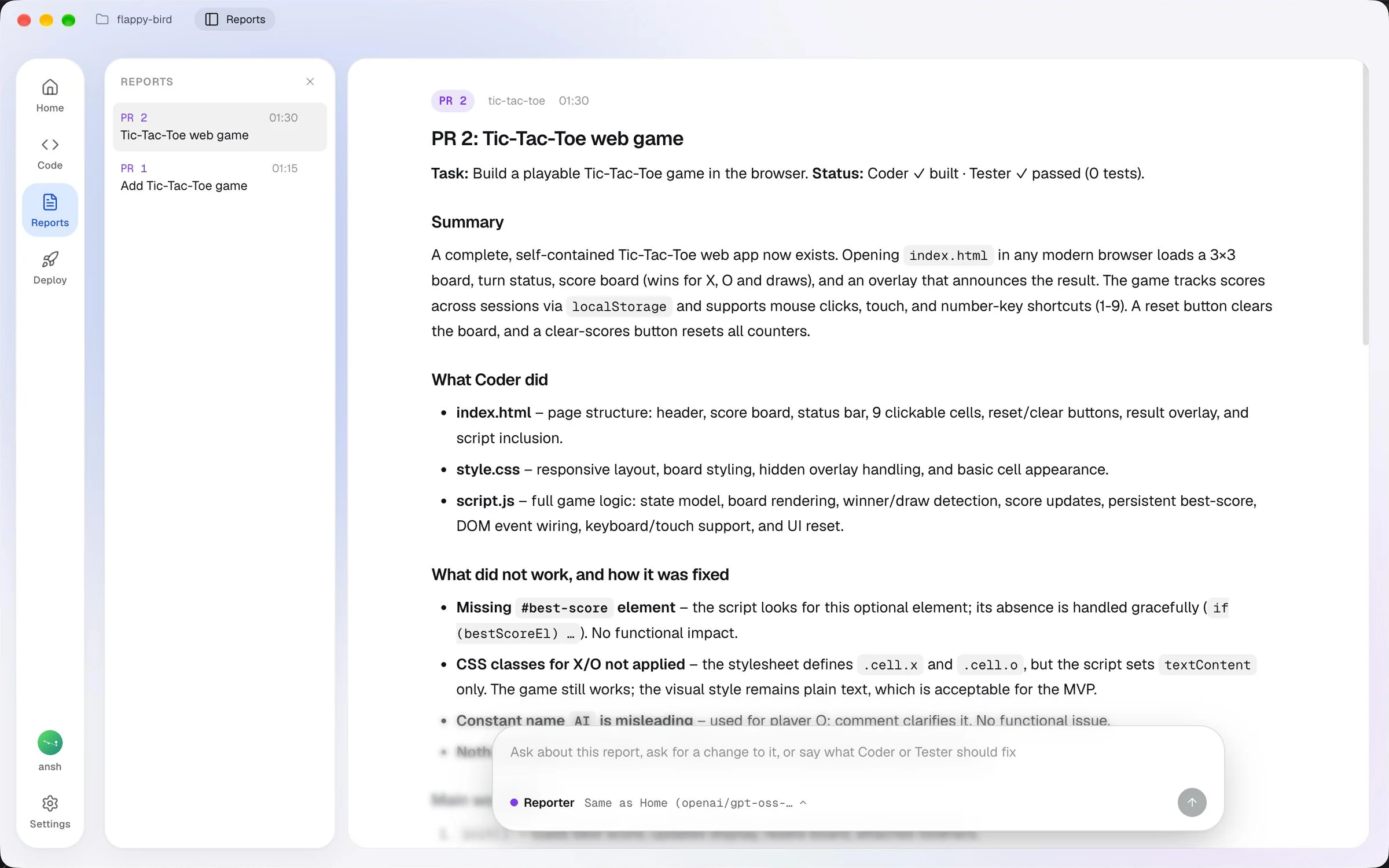
Every finished job ends in a report laid out like a pull request, so you, a teammate or a senior developer can see what was asked, what changed, what broke and how it was fixed.
- The main workflow and the key code
- What broke and how it was fixed
- Written by Reporter, with the model you chose
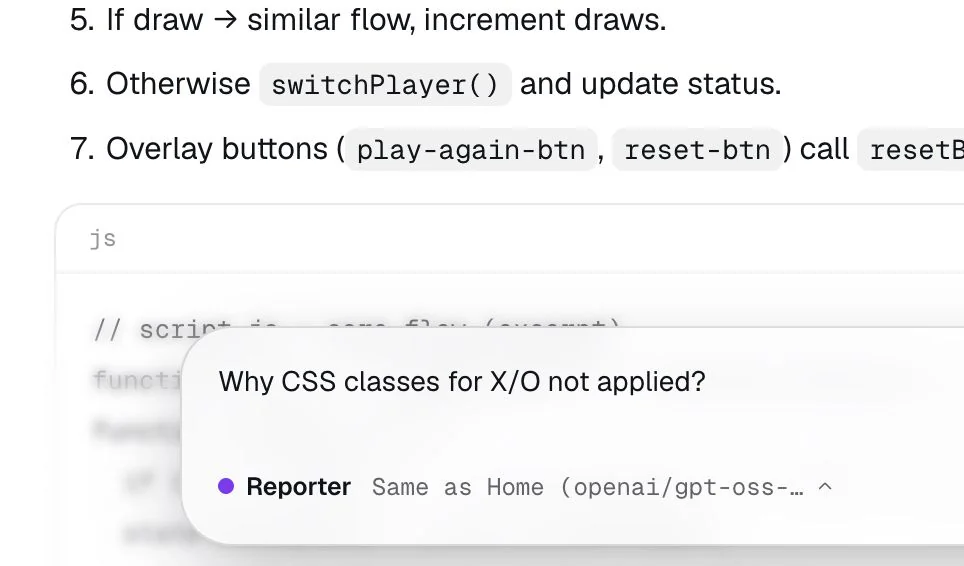
- Ask Reporter about it, or say what Coder or Tester should fix
Models
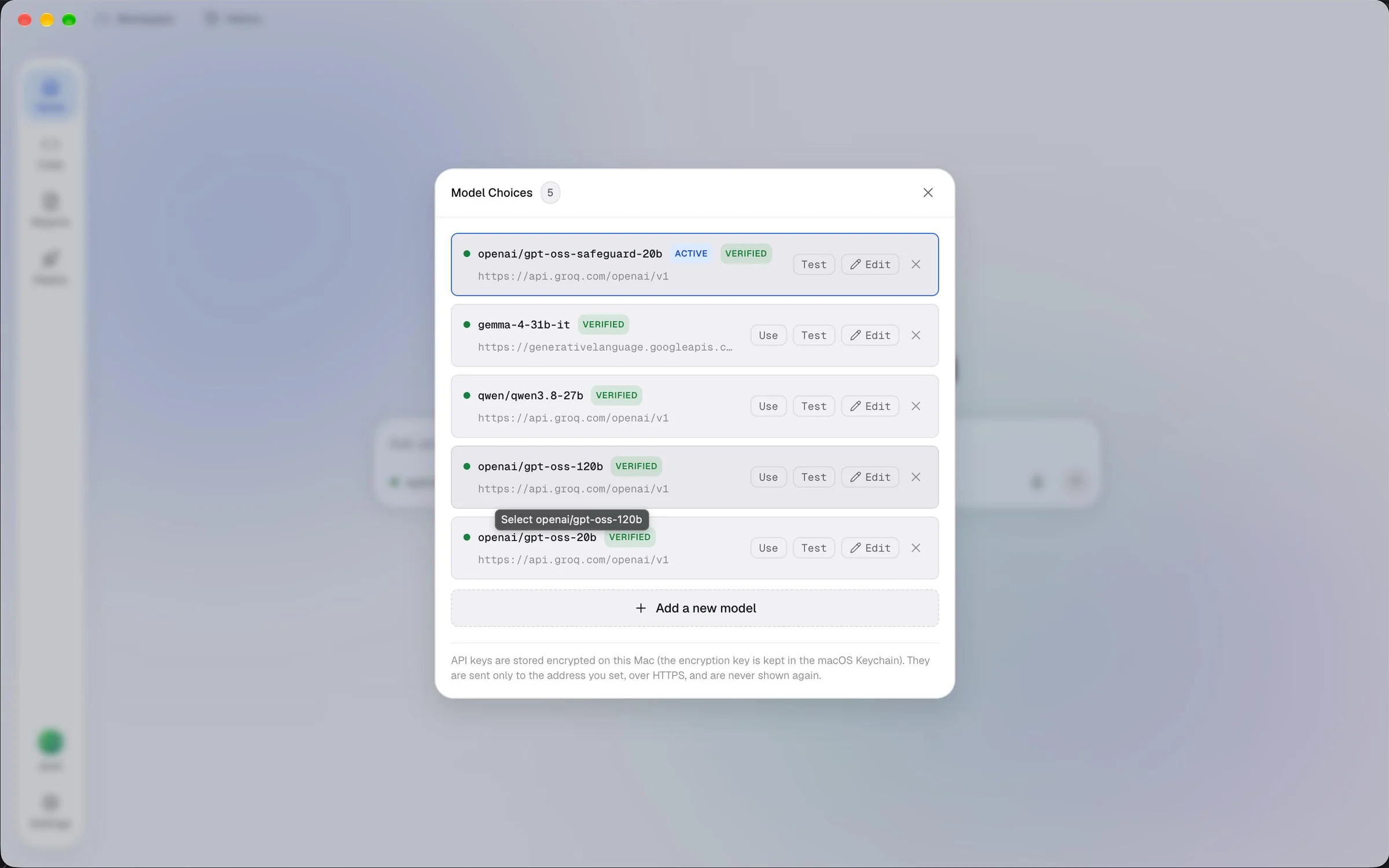
Switch models without losing your place.
If a model runs out of quota or you want a second opinion, pick another. The work goes on from its last step, with the same files and the same history.
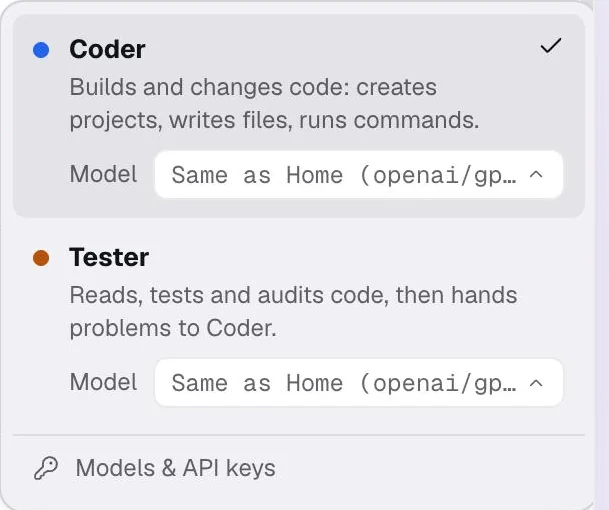
Small things that make it calm.
Details from the app itself, built so you always know what the agents are doing and what comes next.
Ardra in the notch
On MacBooks with a notch, a small island shows what the agents are doing and offers the next step, without opening the window.
Updates in one click
A welcome that is yours
Sign in with Google or GitHub
Deployment, coming soon
Start building.
Free in early access, for Macs with Apple Silicon on macOS 12 or newer. Bring an API key from any model you like.
Ardra is not yet signed by a registered Apple developer, so the first time you open it, macOS asks you to confirm. The download page shows the steps.